Introduction: So why am I doing this?
I think the internet is a really cool place, and I want to be able to express myself independently on the internet.
I'm sure that for a lot of the things I want to do I could probably just pump it through chat-gpt and ctrl-c, ctrl-p
the answer a lot faster than I'll find it on my own. But that would really take all the fun out of all of this, so
I'm just gonna keep slowly updating this and (hopefully) it will gradually become something that reflects me and acts
as a creative outlet for things I want to put out into the world.
Journal
10/19/2025
Today should be a shorter day. I'm still sick, so I slept in a lot. I also need to get some money-work done before I'm back in
the office tomorrow. I've been thinking and maybe I should also talk about non-tech related stuff in these. Like thoughts on
things I'm reading and what not. First things first though, lets make a navi.
Okay, I added the navigational components, now lets do the part where we link to other pages?
WE NOW HAVE SOMETHING RESEMBLING A WEBSITE.
I've done some reading and it seems like the standard practice is to just reproduce the same navigational bar on each
page? That seems horrible to me. What about when you want to add more things to the bar? You have to add them to every
html file? what!?
10/18/2025
So I'm going through the other HTML pages. I think all the emphasis on accessability is good, but maybe a little
unneccessary. Now I'm learning about lists, so I'm going to convert all these fake list-likes I have into
real lists. Doing it to all the Q/As now as well.
Cite and quote elements seem pretty useful if I end up trying anything like an information blog, I'll need to keep that in mind.
It might be a good idea to figure out how to write markdown or latex into html, rather than using super or subscript stuff.
I was trying to make a text drawing earlier but couldn't get the spaces to line up; I should've been using a <pre>
(preformatted text) element. I removed all the line breaks, if I want these to not take up the whole screen I can do that later
once I know how to use CSS.
I'm going to read through the "structuring a basic website" section, but I don't think I'm going to start implimenting
and of that until I know how to link between content. A lot of this stuff should just be seperate pages and what not.
That seems like a good goal to set for tomorrow. To split stuff up into seperate webpages. I'm still sick so I might not
get to it though.
Persistent through whole site
A header which can be clicked to link back to home
General Structural Comments
Content should be centered between two vertical bars which have some relevant images framing the content.
Lets put a side-bar on the journaling page that lets you select content by dates
10/17/2025
Back at it again, still sick btw. So when the browser sends an http request to the server, the html is sent back.
Then, as other external (to the HTML file) components are processed, more http requests are sent for those specific files.
The DOM tree explanation is very useful. The process of loading and parsing HTML into a DOM tree, then loading and parsing
CSS which is then applied to nodes of the tree makes a lot of sense.
Order of Operations:
HTML is parsed and used to construct DOM tree
CSS is parsed and applied to DOM nodes
JS is parsed compiled and ran (which could have a variety of effects on the DOM tree)
The DOM is then painted (rendered) to the screen
Okay going back to that module felt a lot better. I'm gonna continue going through the modules in order off the back
of how good that felt. The next module is
HTML Headings and Paragraphs
It makes sense to make these dates into headings, so lets do that. There we go, beautiful.
Question
What is the meaning of span?
Answer
It's just something we use to wrap content when we want to apply CSS or JS to it.
10/16/2025
sickness has befallen me, so I haven't been doing much of anything these last couple days.
Lets change that.
I was looking through the link page and trying to find out what "href" means. Its described as a place to
put a URL to "link" to some other content, but then in other places, you provide a path to some resource.
Does the browser automatically derive how to get to the data according to the href?
Lets get into some REAL jhit; like linking to a style sheet (we all start somewhere) (im 27 years old by the way)
And there you have it folks, now everything is blue
Okay I don't like it all being blue, lets go back to normal. That's better.
There is something I don't like about
this
guide/introduction. When it gets to the part about CSS / Javascript, it just tells you to start adding things
because they haven't introduced those things yet. I understand that they're related to the head, but the intro to the
head doesn't need to include them if they aren't introduced. Tell me how to add CSS and JS after you've explained how
to work with those.
I want to figure out how to make sub pages and seperate pages, so I'm gonna start looking at the JS guide.
Okay, it says I should learn some basic CSS first, so I'll start with that.
Interesting Note: Browsers have a default stylesheet which is why headers and paragraphs are properly rendered
without any stylesheet.
I found the web standards module and I'm going to read that now. I probably should have started with this, but the
way that I started looking was by looking up "HTML reference docs" online, which is probably why this is confusing to me.
Question
So, when you go to a website, you're downloading a local copy of that website, so changes to the website do not
effect the structure of the website on the server. How then, do changes get made to the main website from the local copy of
that website? How is the state between them managed?
Answer
They actually answered this!! You have static data that is sent by the server and then server-side HTML is generated
dynamically and then sent to the client, who then updates their local copy! I Love Winning !!
I made some good progress today. A lot of the internet stuff were things I already had a vague idea of, but solidifying that
has been an educational and enjoyable experience. Hopefully we're in for another good day tomorrow.
10/15/2025
Well, what do you know: I go back to work and I miss a day of working on stuff independently.
Back to trying to learn things, I read a little further and saw that the little symbol on the top
is called a favicon and how to add one. Lets try that now. Beautiful.
10/13/2025
Lets make this first page a general journal.
Yesterday I did some stuff with checking basic C++ jhit, today I'm gonna go through
this
guide and learn a little bit (hopefully).
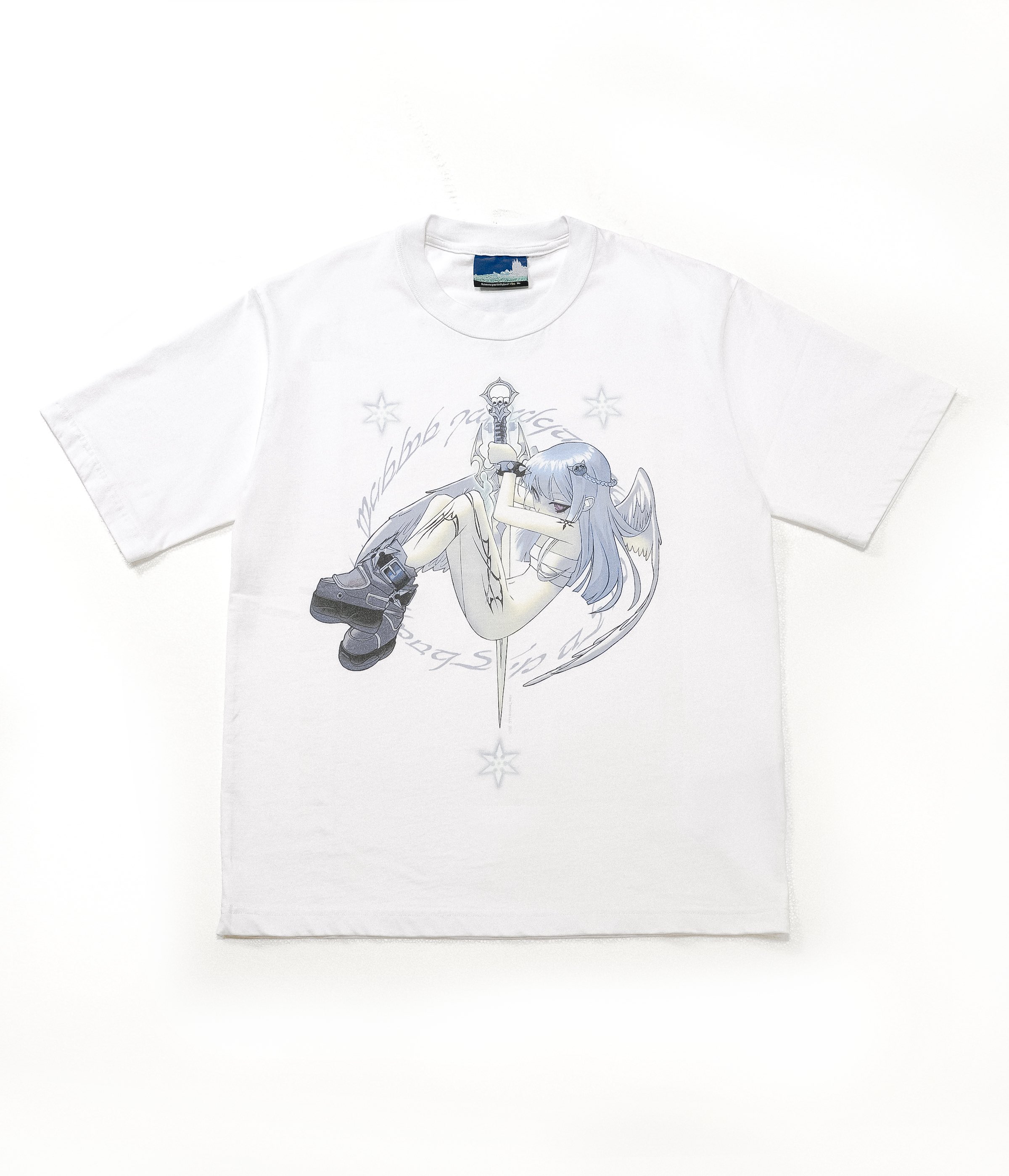
Okay, lets try and add an image. Lets make an images folder and then store our images there.
this is a shirt I bought recently that I really like.
Alright, I looked through some more and added the "general" structure that html pages use, and went through
the html references to see what all the attributes actually mean. Very Cool !!
Now, lets do the
next
module as well.
10/12/2025
This is all very much under construction. I've never written any webdev stuff before,
so I'm not sure how it should go.
I'm just gonna write out some things that I want to be able to do here and then
eventually those will be done.
figure out how to link between different pages on a single site
write some short blogs about what sorts of things I'm up and enjoying (just random C++ stuff)
figure out how to make things not look like shit
figure out a good work flow for sending things between local and the server (do people just use SCP?)
write down most of the resources I'm using during this process